
How to Connect Claude to Your Marketing Data Using Whatagraph MCP
 Benjamin Mangold
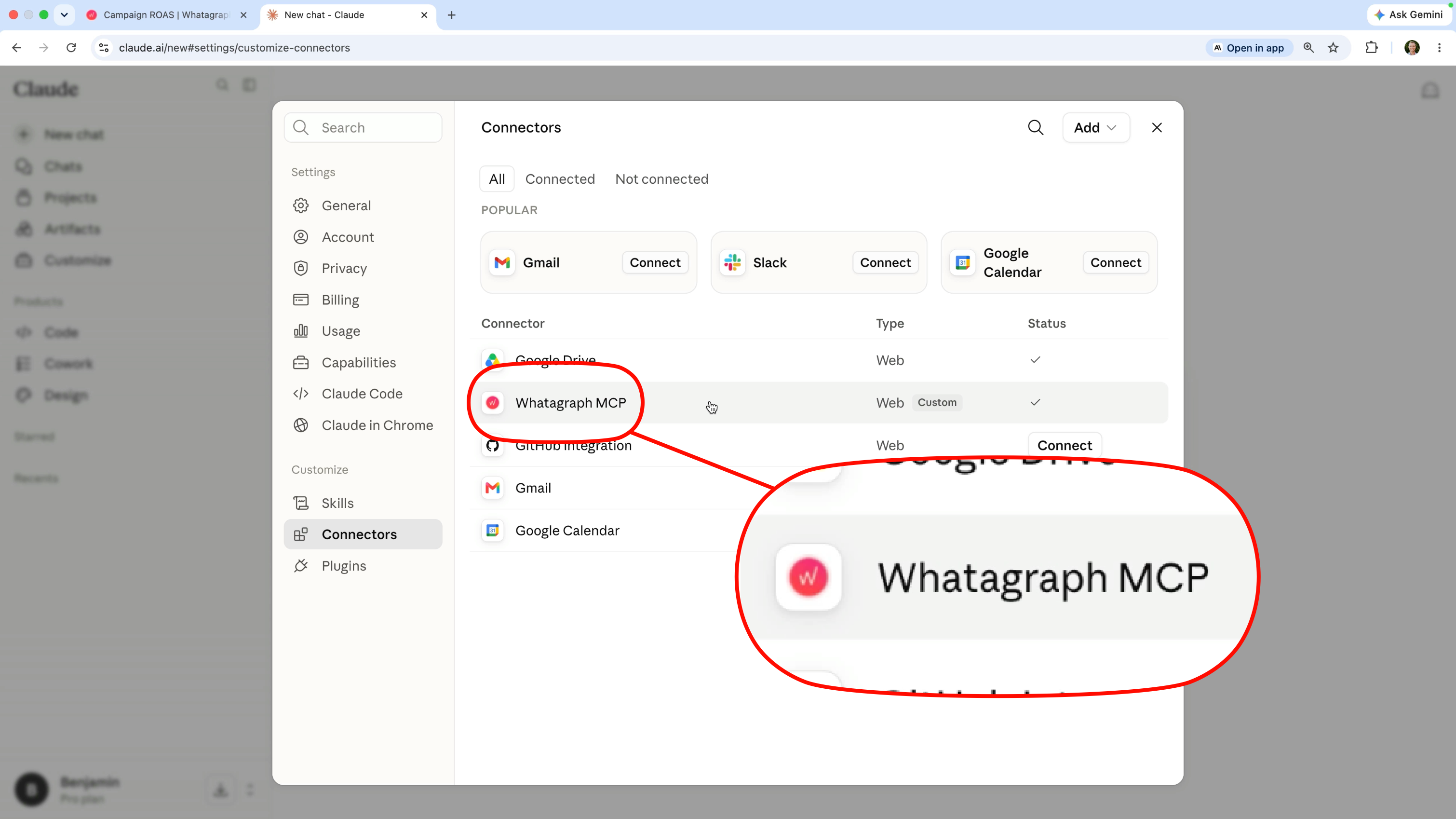
If you want to connect Claude to your marketing platforms, Whatagraph's Model Context Protocol (MCP) makes it easy to combine data from Google Ads, Google Analytics, Meta Ads, and other sources.
Instead of connecting Claude to each marketing platform individually, Whatagraph acts as a central layer for your marketing data. This lets you standardize metrics, blend data from multiple platforms, and ask Claude questions using a consistent reporting framework.
In this tutorial, I'll show you how to connect Claude to using Whatagraph's MCP, blend data from multiple sources, create custom metrics like ROAS, and generate marketing insights you can trust.
In this tutorial, you'll learn how to:
- Connect Claude to Google Ads, Google Analytics, and Meta Ads.
- Use Whatagraph's MCP to access multiple marketing platforms.
- Blend data from different sources for cross-channel reporting.
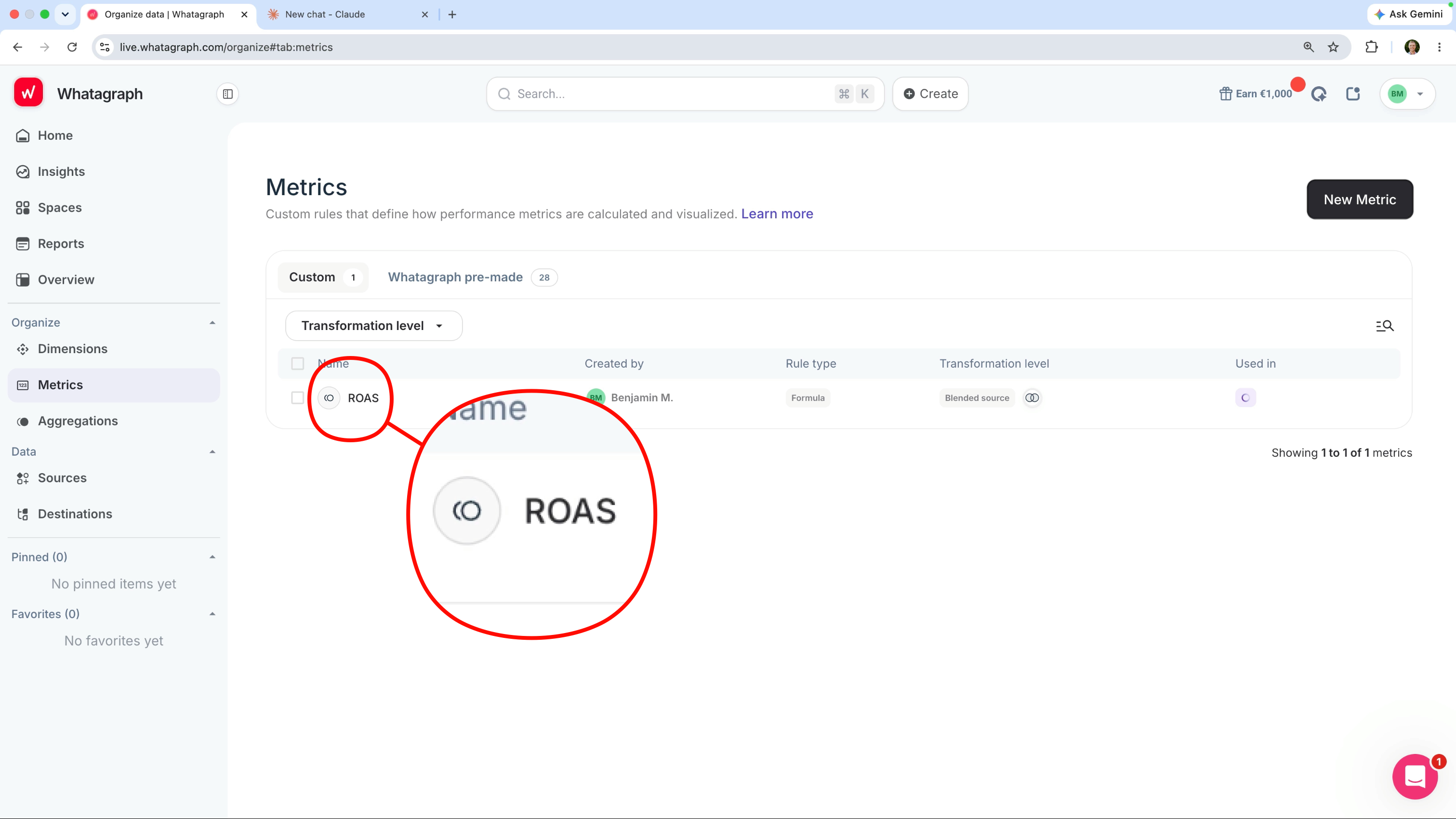
- Create custom metrics like ROAS.
- Generate consistent AI-powered marketing insights.
By preparing your data before Claude accesses it, you can avoid inconsistent reporting and ensure your prompts return reliable answers.
Why use Whatagraph MCP?
One of the biggest advantages of using Whatagraph as the connection between your marketing platforms and Claude is that you only need to prepare your data once.
You can blend data from multiple sources, create custom metrics, and adjust metric names before Claude accesses your reports. This means Claude is working with the same definitions every time you ask a question.
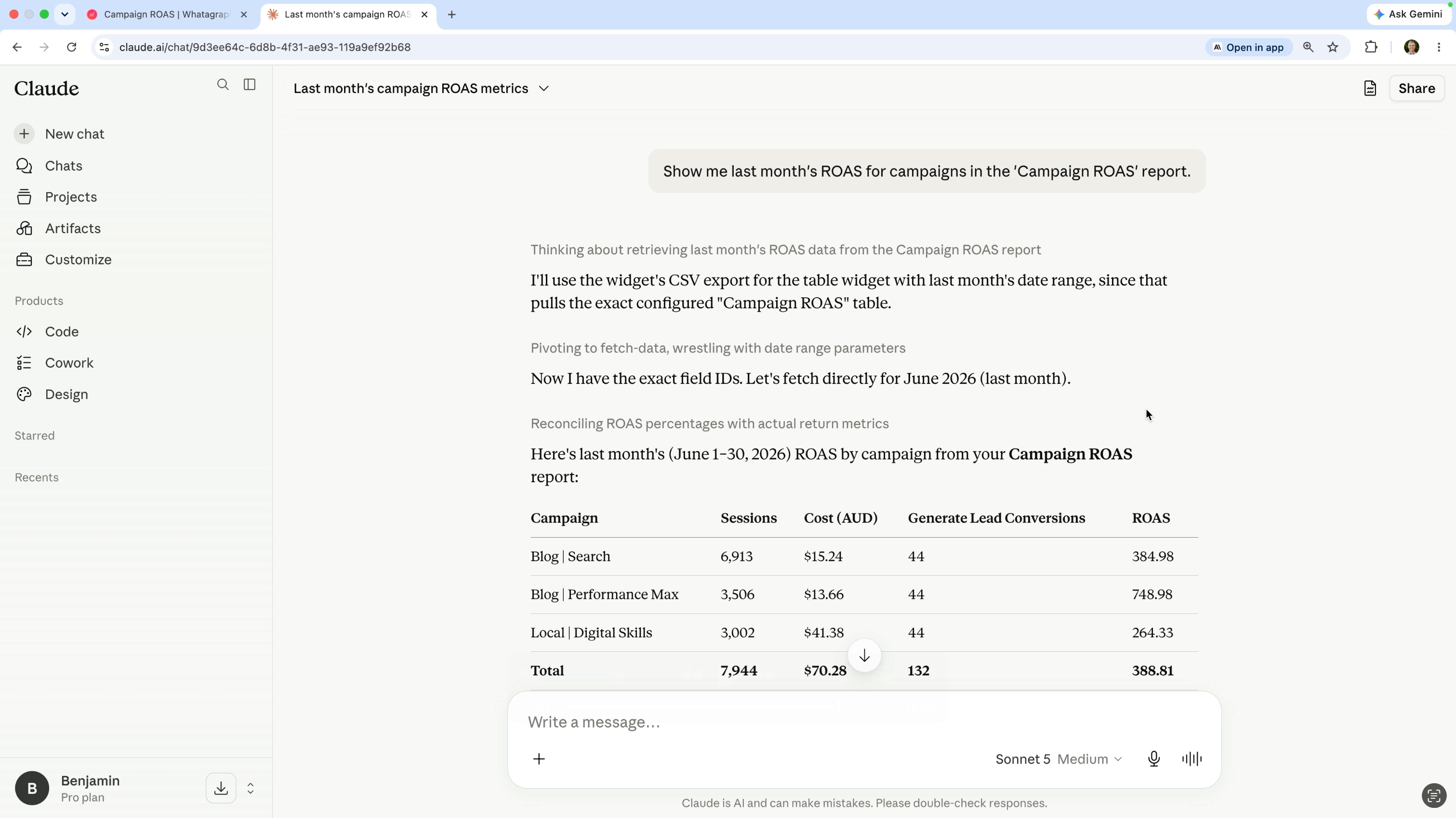
For example, if your team has a specific definition of return on ad spend (ROAS), you can create that metric once in Whatagraph and Claude will consistently use that version in its responses.
Because Claude is accessing the data you've already prepared, it's also much easier to verify the answers it provides against your reports and dashboards in Whatagraph.
Tip: If you're blending advertising data with Google Analytics, consider joining your data using both the date and campaign dimensions. This helps avoid duplicated conversion data and gives Claude more accurate information to work with.
Watch the full tutorial
The video walks through all of the steps. Including how to connect your marketing platforms, create blended data sources, define custom metrics, connect Claude using Whatagraph's MCP, and use Claude to generate marketing insights.
Whether you're reporting on Google Ads, Google Analytics, Meta Ads, or multiple marketing platforms, preparing your data before connecting Claude will lead to more reliable answers and more useful recommendations.
If you have any questions, or you're already using Claude for marketing analysis, I'd love to hear how you're using it. Let me know in the comments!