
What are AI labels in Google Ads?
 Benjamin Mangold
Google is introducing additional transparency controls for ads that use AI-generated assets. This includes a setting advertisers can use to disclose when AI has been used to create or edit an image or video.
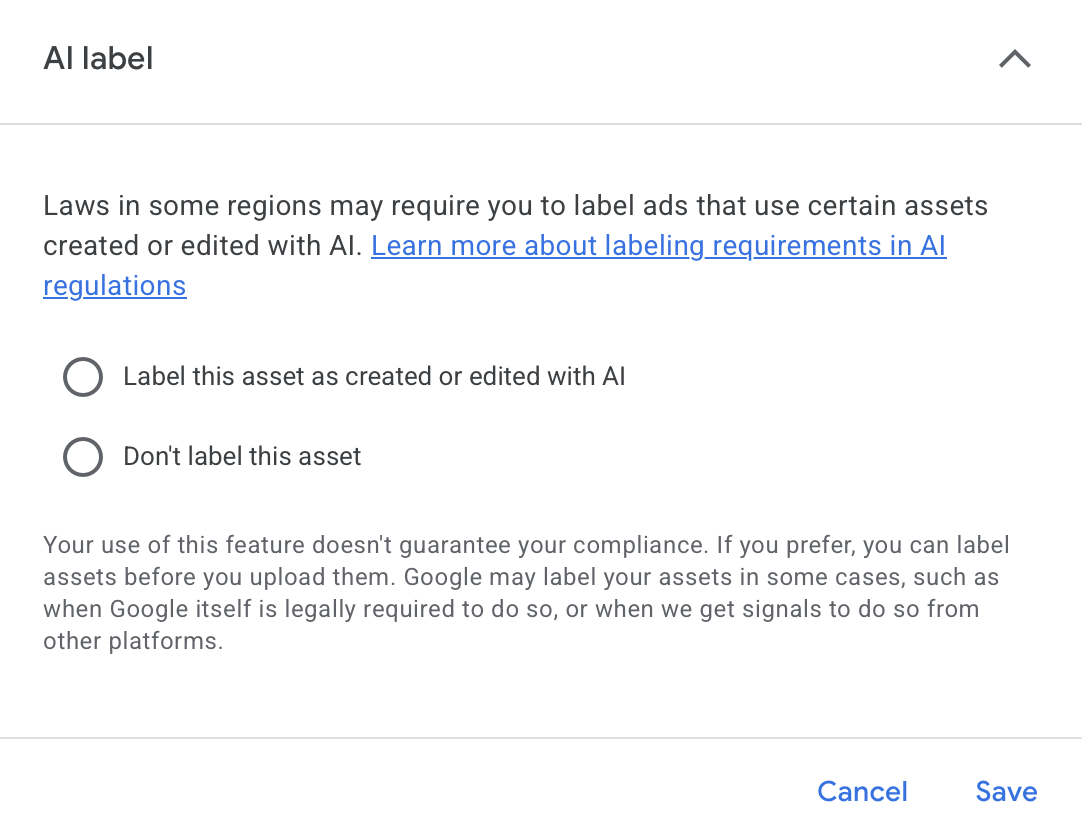
The setting is being introduced as different regions adopt requirements for disclosing the use of AI in advertising. However, not every AI-generated asset needs to be labelled, and the requirements depend on the content and where your ads are shown.
“I don’t expect most advertisers to use this setting unless they’re required to legally.”
Even if you’re not planning to use AI labels, let’s look at how they work in Google Ads, where people can see the labels, and what advertisers need to consider when using AI-generated creative.
How AI Labels Work in Google Ads
The AI label setting lets you identify an asset as being created or edited with AI. When an ad uses an asset you have labelled, Google can include a disclosure in the ‘How this ad was made’ section of the ‘My Ad Center’ panel.
People can access this information by selecting the three-dot menu on ads across Google Search, YouTube, and Discover.
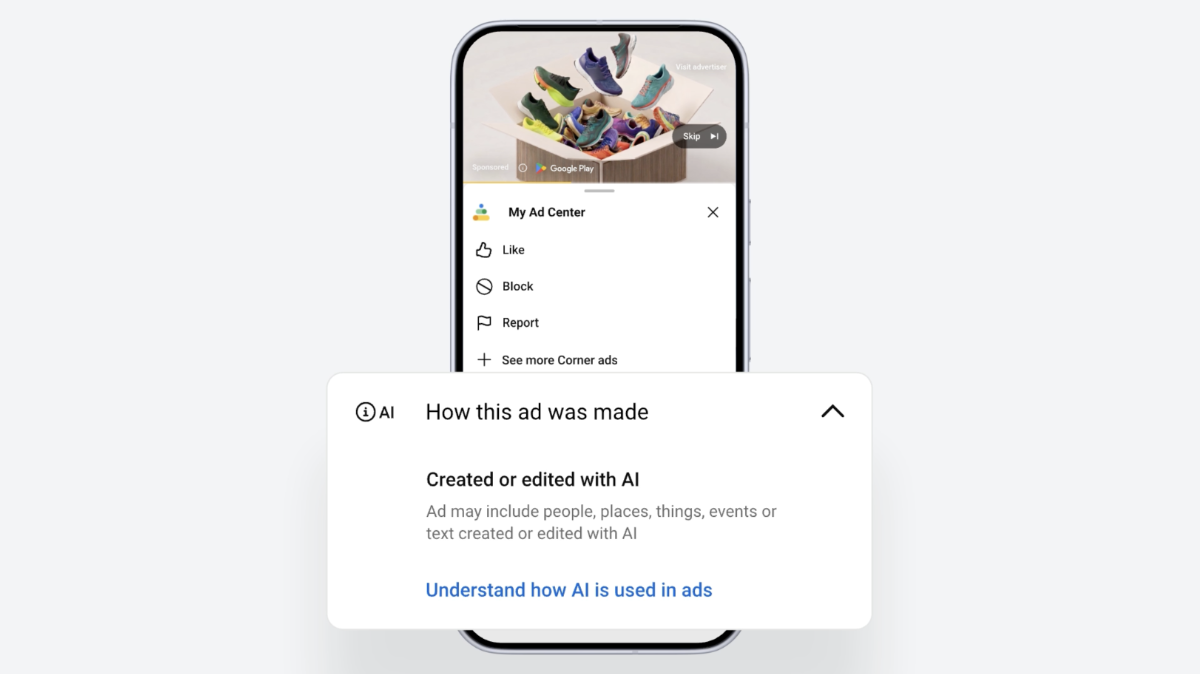
The disclosure panel is available globally. However, an AI label can also appear directly on the ad in regions with specific disclosure requirements. Google currently mentions the EU, India, and New York as locations with requirements covering certain AI-generated creative.
For campaigns targeting these locations, assets you mark as AI-created or edited can include a visible label over the ad.
Do all AI-generated assets need to be labelled?
No. Google has said that not all AI-created content needs to be labelled. Requirements vary depending on the location, the type of content, and how AI was used to create or edit the asset.
For example, there's a difference between using AI for a minor adjustment and using generative AI to create a realistic image of a person, place, product, or event.
Google has also said it can automatically label assets in some situations. This can happen when:
- Google is legally required to apply a label.
- Google receives information about AI use from another platform.
- Google’s fully automated features create and serve the creative.
If Google applies a label automatically, you can’t remove it.
How to label an AI-created or edited asset
The AI label setting is available when creating a campaign and when reviewing assets that have already been added to Google Ads.
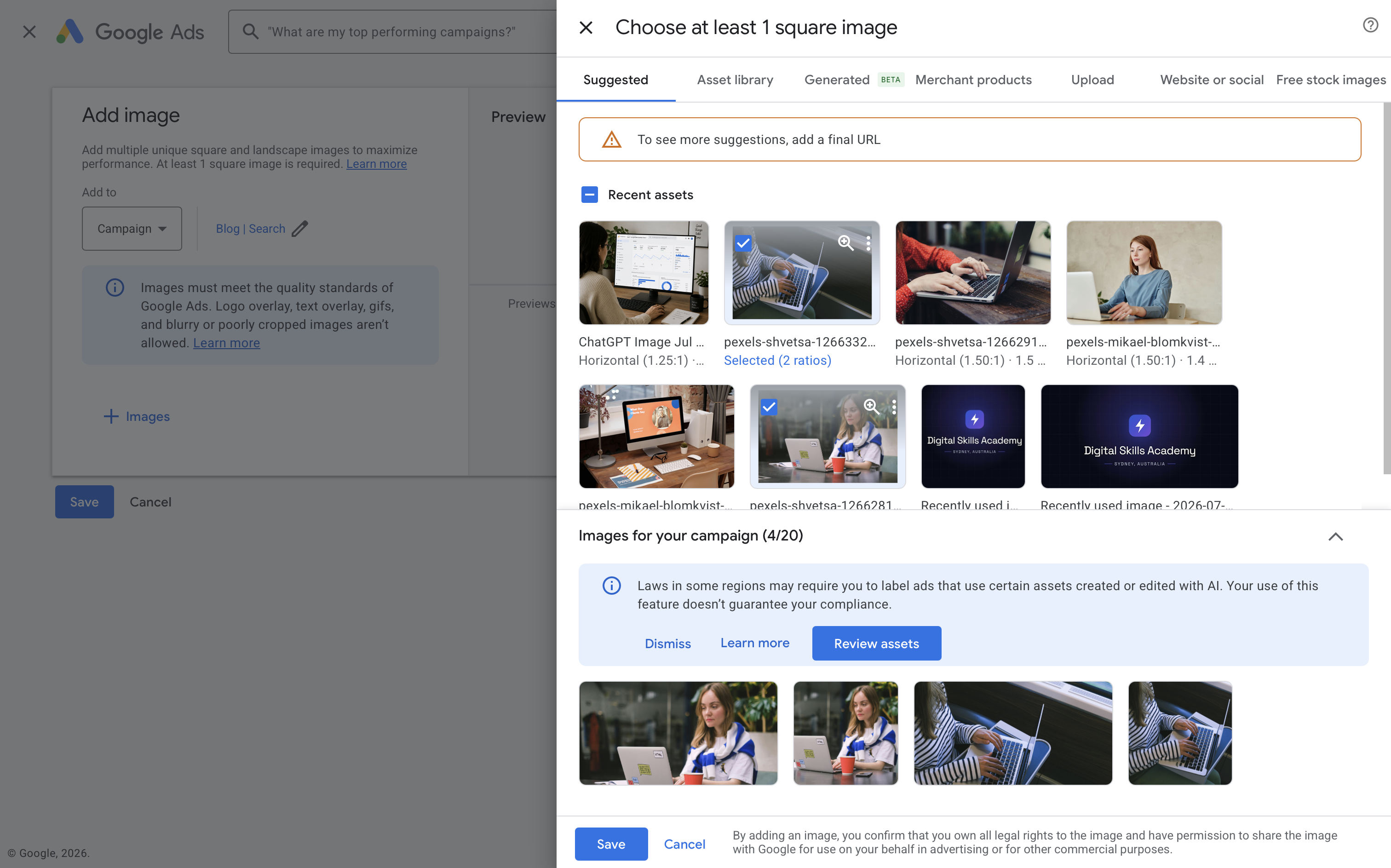
When you create a new campaign, you might be prompted to review the assets. You can then select the relevant assets, select the option to manage the AI label and choose either ‘Label this asset as created or edited with AI’ or ‘Don’t label this asset’.
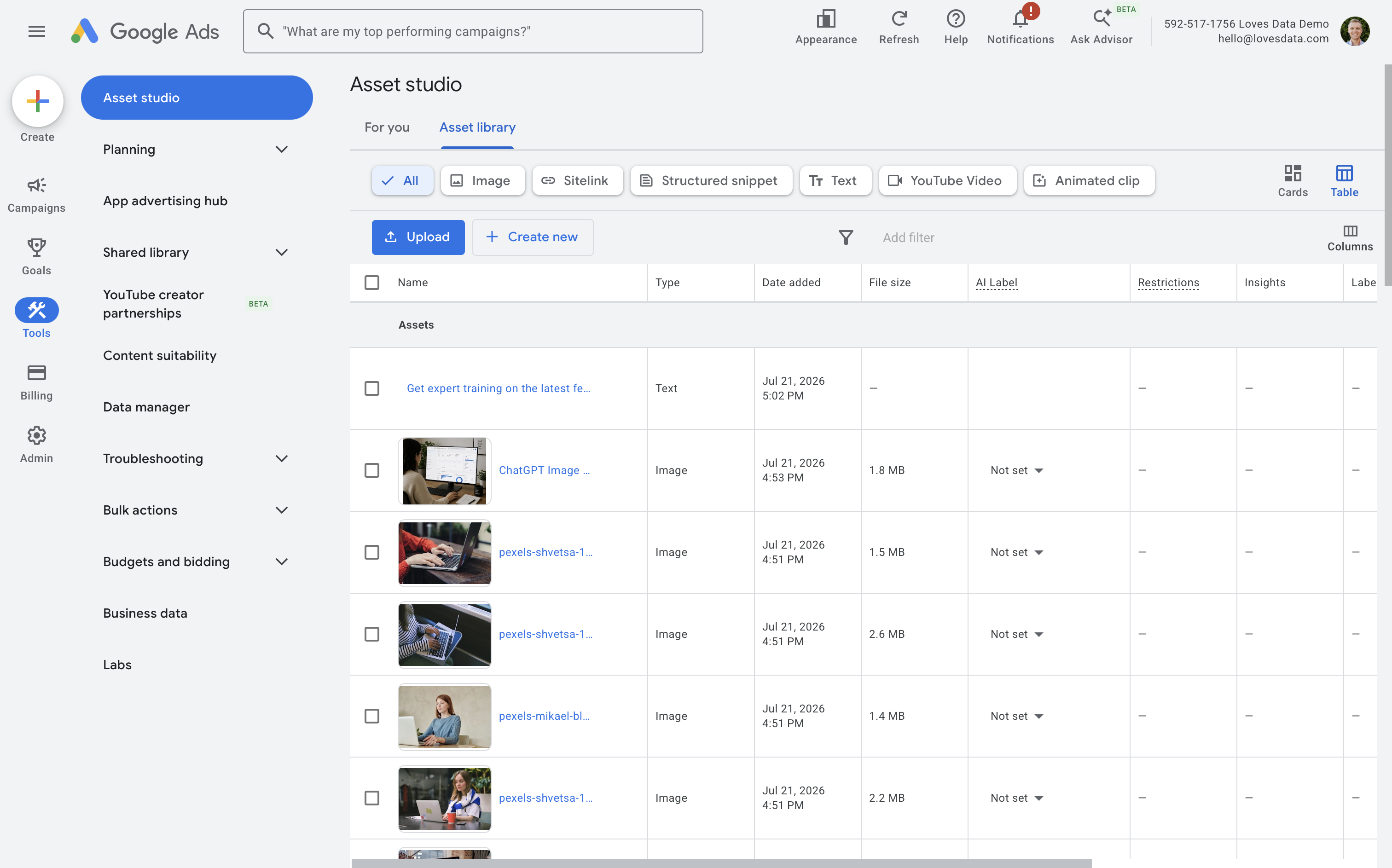
To update your existing assets, navigate to ‘Tools’, select ‘Asset Studio’, and then select ‘Asset library’. Open the asset you want to review, choose whether it should be labelled as created or edited with AI, and save your changes.
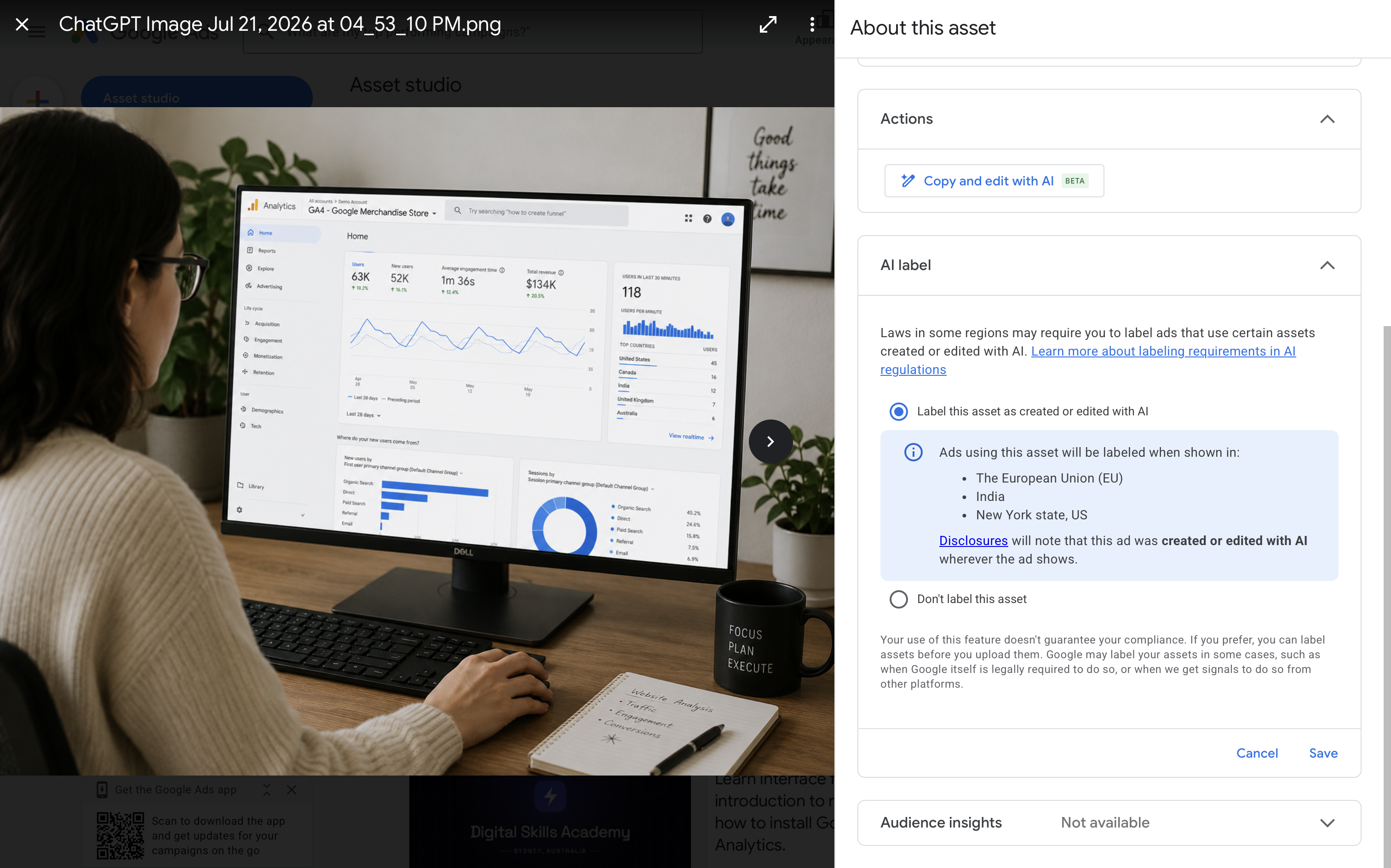
You can also add the ‘AI label’ status column to the ‘Asset library’ and asset reports. This lets you review the label status of your assets and filter them based on whether an AI label has been applied.
And when you add image assets to an existing campaign or ad group, you will also be prompted to review the assets.
What if you use an external AI tool?
You can use the setting to label assets created or edited outside Google Ads. For example, this could include an image generated with another AI platform and then uploaded to your campaign.
You can also add your own AI disclosure directly to the creative using your preferred design tool. Google says these labels won’t violate its policies covering text overlays and watermarks.
If you add your own label, avoid placing it in the corner of the asset. Ads can be cropped or resized for different placements, which means the label might not always remain visible. Google also recommends turning off image enhancements that could crop the disclosure.
Does using the setting ensure legal compliance?
No. Google makes it clear that using its AI label setting doesn’t guarantee compliance with local regulations.
The setting gives advertisers a way to disclose the use of AI, but advertisers are still responsible for understanding and meeting the legal requirements that apply to their campaigns.
If you’re running ads in a location with AI disclosure requirements, you may need to seek legal advice about which assets should be labelled and whether Google’s disclosure is sufficient.
My take on Google Ads AI labels
My take is that this is a necessary update. As AI-generated creative becomes me more common, more advertisers need an easy way to disclose when AI is being used.
That being said, I don’t expect the majority of advertisers to use this setting unless they’re required to. Larger advertisers with legal and compliance teams are more likely to incorporate AI labelling into their workflows, particularly when running campaigns in regions with disclosure requirements.
Smaller advertisers, on the other hand, may overlook or skip the setting completely, especially when it isn’t clear what requires disclosure. Google may prompt advertisers to review their assets, but unless the label is applied automatically or becomes a standard part of uploading creative, I think adoption will be limited.
Overall, the control is necessary, but simply making it available probably won’t result in consistent AI disclosure across Google Ads.
Final thoughts
If you use AI to create or significantly edit images and videos for your campaigns, it’s worth reviewing Google’s AI content label settings and disclosure guidance.
You should also check whether the regions you’re targeting have their own disclosure requirements. Even if you don’t need to apply a label immediately, adding AI asset reviews to your workflow will make it easier to manage these requirements.