
Google Analytics Certification: How to Pass the GA4 Exam
 Benjamin Mangold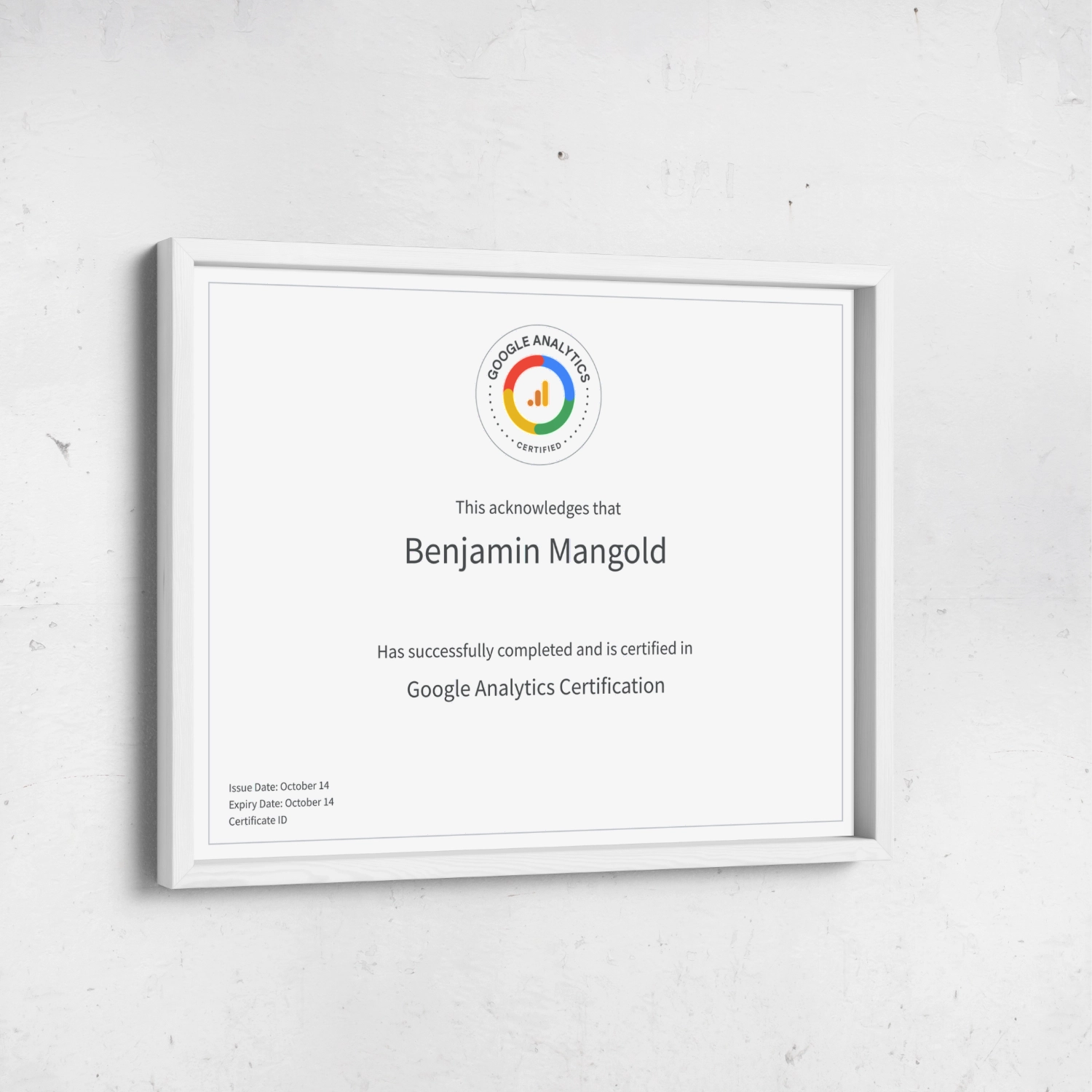
Google Analytics Certification is a free certification you can earn by passing the Google Analytics assessment in Skillshop.
The 2026 certification covers Google Analytics 4 (GA4), and Google has updated the learning material and many of the questions in the assessment. One of the biggest changes I've noticed is that the questions are more practical. Instead of simply remembering definitions, you need to understand which report, feature, or setting you would use in a particular situation.
In this guide, I'll walk you through how the Google Analytics Certification works, what you need to study, the types of questions you can expect, and my tips for passing the assessment. I've also included three practice questions so you can check if you're ready.
You can also download my free certification PDF. It includes a summary of the exam, links to Google's Skillshop learning modules, and additional practice questions with answers.
Get the free Google Analytics Certification PDF
Google Analytics Certification exam: quick facts
| Exam Details | Google Analytics Certification |
|---|---|
| Cost | Free |
| Where to take it | Google Skillshop |
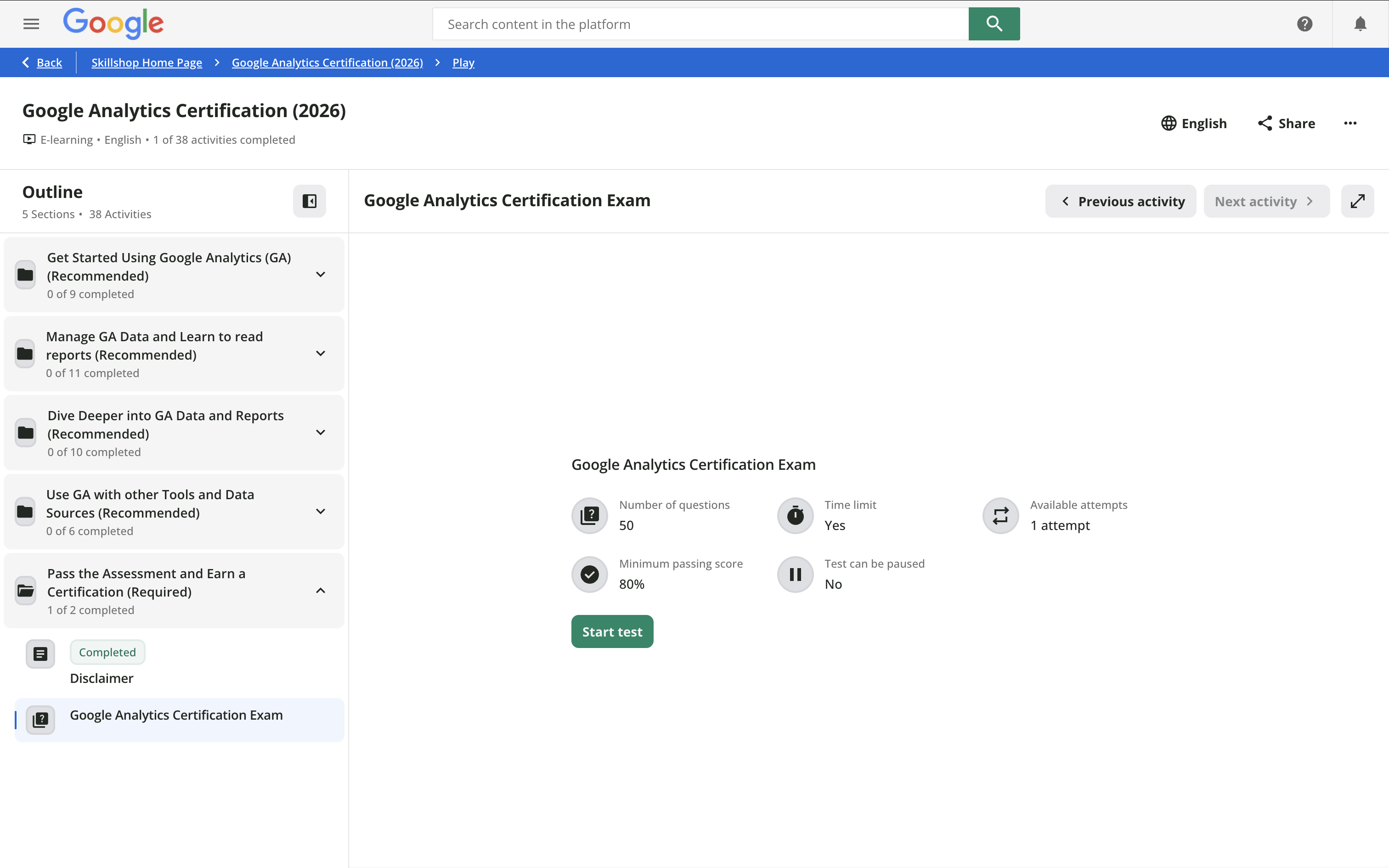
| Questions | 50 multiple-choice questions |
| Time limit | 75 minutes |
| Passing score | 80% |
| Correct answers needed | 40 out of 50 |
| Retake period | One day |
| Certification validity | 12 months |
Once you begin the assessment, the timer starts and can't be paused, so make sure you've set aside enough uninterrupted time.
What is the Google Analytics Certification?
The Google Analytics Certification is Google's official certification for Google Analytics. It's designed to demonstrate that you understand how Google Analytics works and how to use its main features.
You'll need to pass Google's assessment in Skillshop to become certified. The current certification covers Google Analytics 4, including reports, dimensions and metrics, key events, audiences, attribution, integrations, and administrative features.
It's free to take the assessment, and you don't have to pay for Google's recommended learning material.
Google Analytics Certification vs Google Data Analytics Certificate
One point that's worth clearing up is that the Google Analytics Certification and Google Data Analytics Professional Certificate are not the same thing. It's surprisingly easy to confuse the two.
| Google Analytics Certification | Google Data Analytics Professional Certificate | |
|---|---|---|
| Main focus | Using Google Analytics 4 | Broader data-analysis skills |
| Topics | GA4 reports, data collection, audiences, attribution, advertising, and administration | Spreadsheets, SQL, data cleaning, visualization, and other analysis skills |
| Best suited to | Marketers, analysts, agencies, website owners, and anybody working with GA4 | People preparing for a broader data analyst role |
| Where you earn it | Google Skillshop | Coursera |
If your goal is to demonstrate your knowledge of GA4, you want the Google Analytics Certification covered in this guide.
Where can I take the Google Analytics certification exam?
You take the exam in Google Skillshop. You'll need to sign in with a Google account before you can enroll in the learning path and open the assessment.
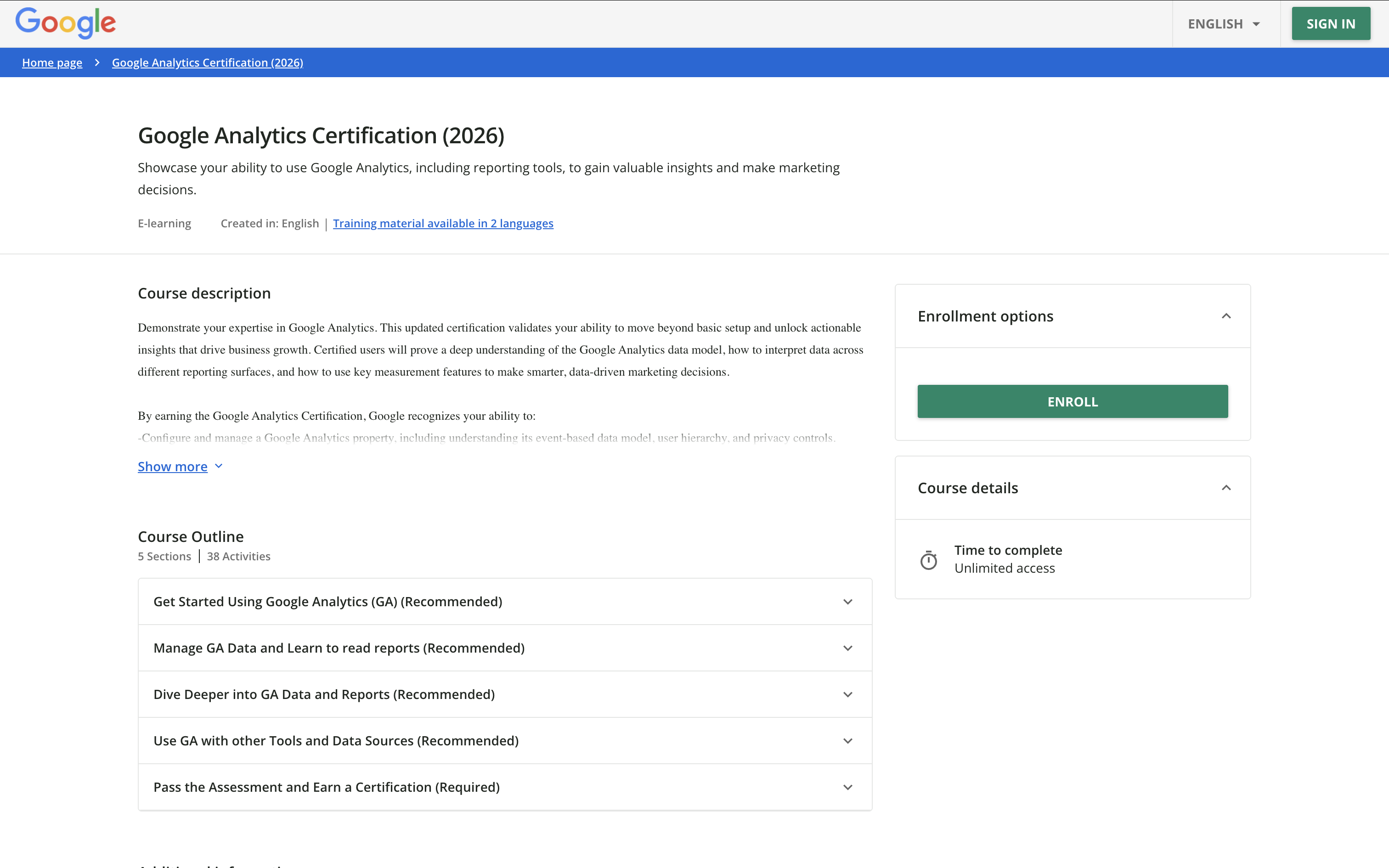
The Skillshop page includes four recommended learning sections followed by the certification assessment. You can work through all of the lessons, review selected topics, or go directly to the assessment if you're already confident using GA4.
How to get Google Analytics certified
When you're ready, follow these steps:
- Head to the Google Analytics Certification in Skillshop.
- Sign in using the Google account you want connected to your certification.
- Enroll in the certification learning path and accept any account or platform permissions you're shown.
- Review Google's recommended learning material.
- Open the certification assessment when you're ready to take the exam.
- Answer all 50 questions and score at least 80% to pass.
- Navigate to 'My Activities' and select 'Certification' in Skillshop to view your certification.
If you're already comfortable using Google Analytics, you might be ready to take the exam without spending a lot of time studying. However, I still recommend reviewing the learning material briefly before you begin. The assessment can cover features you might not use every day.
What does the GA4 certification exam cover?
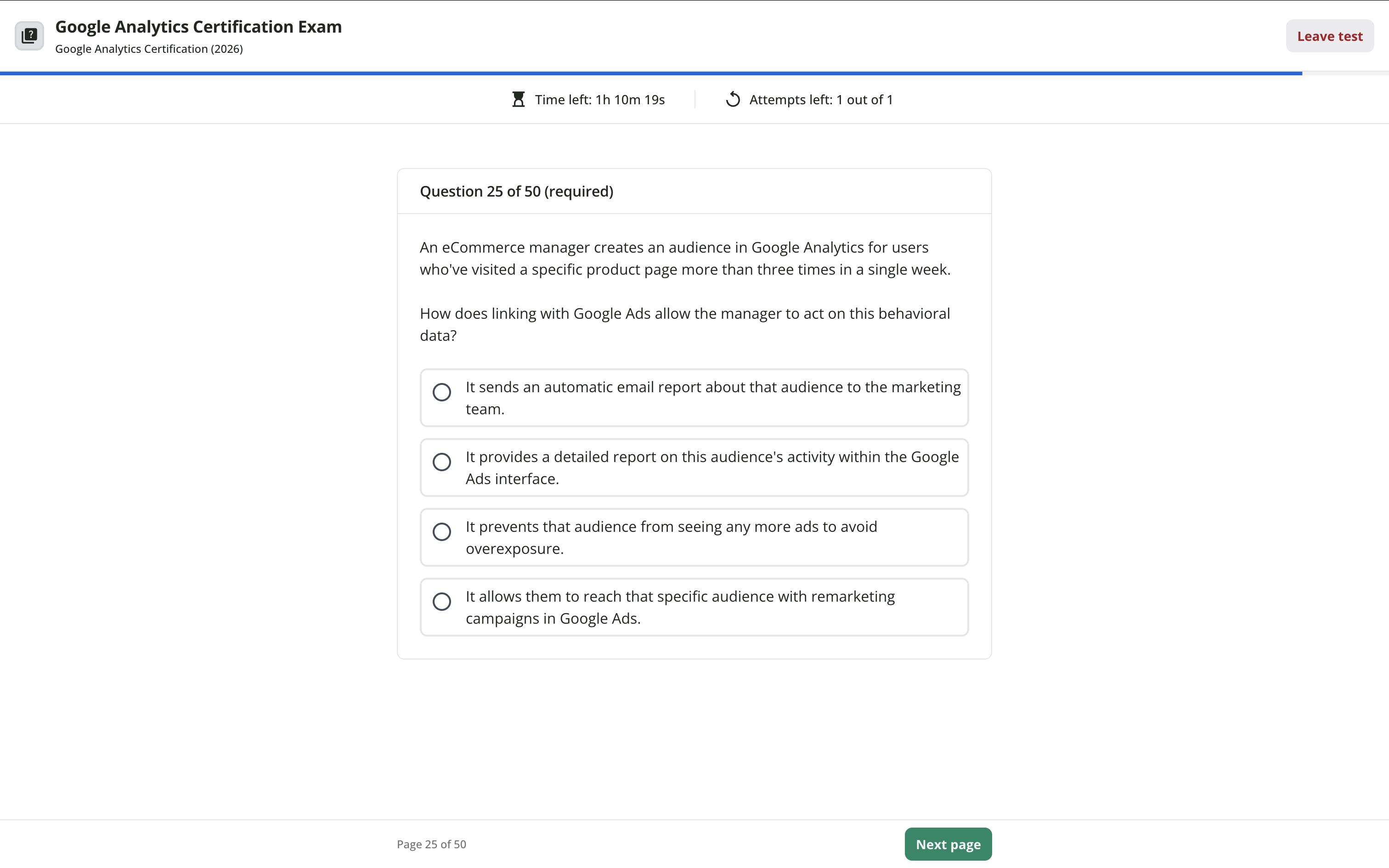
The assessment covers the main parts of Google Analytics, from data collection and reporting to advertising and administration. Based on the current learning material and my experience taking the updated assessment, these are the areas I recommend being comfortable with:
| Topic | What to understand |
|---|---|
| Foundations and data collection | Accounts, properties, data streams, users, sessions, events, dimensions, and metrics |
| Reports and analysis | User Acquisition, Traffic Acquisition, Pages and Screens, Landing Page, Realtime, and Explorations |
| Measurement and advertising | Key events, audiences, attribution, Advertising reports, and Google Ads integration |
| Tools and data sources | BigQuery, Data Import, APIs, and the purposes of each integration |
| Administration | User roles and permissions, property settings, data streams, and Analytics 360 |
You don't need to become an expert in every feature. However, you do need to understand what each feature is designed to do. A lot of questions now describe a business situation and ask you to choose the most appropriate report, feature, dimension, setting, or integration.
How to study for the Google Analytics Certification
Google recommends four learning sections before the assessment. Here's what I would focus on in each one.
1. Get Started Using Google Analytics
If you're new to Google Analytics, start here. This section covers accounts, properties, data streams, users, sessions, events, and how Google Analytics collects data.
Pay particular attention to the difference between dimensions and metrics. Dimensions provide descriptive information, such as Country, Device Category, and Session Source. Metrics are measurable values, such as Users, Sessions, Revenue, and Key Events. Understanding this distinction will help you with a wide range of questions.
2. Manage GA Data and Learn to Read Reports
This is one of the most important sections for the current assessment. You need to understand the different reports and, more importantly, the business questions they help you answer.
Where did my users first come from? Think User Acquisition.
Where did my sessions come from? Think Traffic Acquisition.
This distinction between users and sessions is particularly important. You should also understand when to use the Pages and Screens, Landing Page, and Realtime reports. Instead of memorizing the name of every report, ask yourself: What question would I use this report to answer?
3. Dive Deeper into GA Data and Reports
This section introduces Explorations, audiences, key events, attribution, and Advertising reports. I noticed attribution appearing more frequently in the updated assessment than it did previously. Again, you don't need to memorize every detail, but you should understand how attribution assigns credit and the difference between first-user, session, and event-scoped acquisition dimensions.
Also spend some time reviewing key events. Make sure you understand what a key event is, how to mark an event as a key event, why key events are useful, and how they can be used with Google Ads.
4. Use GA with Other Tools and Data Sources
The final section covers Google Ads, BigQuery, Data Import, APIs, and Analytics 360. You don't need to become an expert in every integration. Instead, focus on understanding why you would use each one.
For example, BigQuery lets you export your Google Analytics data so you can analyze it using SQL and combine it with other sources. Data Import lets you enrich the information in Google Analytics using data from other business systems. Linking Google Analytics and Google Ads lets you share audiences and create Google Ads conversions based on your Analytics key events.
What I would study if I only had one day
If I only had one day to prepare, I'd focus on five areas: dimensions and metrics, standard reports, attribution, key events, and integrations and administrative features. Together, these cover many of the practical scenarios you're likely to encounter.
The most important thing I recommend is actually using Google Analytics while you're studying. Open a property and navigate through the User Acquisition, Traffic Acquisition, Pages and Screens, Landing Page, and Realtime reports. Create an Exploration, then open Admin and review the property settings, data streams, user permissions, and key events.
If you don't have access to your own property, use the Google Analytics demo account. It gives you access to real data and is one of the easiest ways to become familiar with the interface before taking the assessment.
Google Analytics Certification practice questions
Here are three original practice questions to give you a feel for the scenario-based questions you can expect. These are not questions taken from Google's assessment. I've created them to help you practice applying your GA4 knowledge.
Practice question 1:
A marketing manager wants to understand which marketing channels first brought new users to their website. Which report should they use?
- Traffic Acquisition
- User Acquisition
- Engagement Overview
- Advertising
View the answer
Answer: B. User Acquisition. This report focuses on how users originally discovered your website or app. Traffic Acquisition is different because it focuses on sessions.
Practice question 2:
A business wants to analyze its Google Analytics data using SQL and combine it with information from other systems. Which feature should it use?
- Measurement Protocol
- Data API
- BigQuery
- Data Import
View the answer
Answer: C. BigQuery. BigQuery lets you export event-level data from Google Analytics. You can then query it using SQL, combine it with other data sources, and perform more advanced analysis.
Practice question 3:
A colleague needs to create Explorations and analyze reports, but they shouldn't be able to manage users or change the property's settings. Which role should you assign?
- Viewer
- Editor
- Administrator
- Analyst
View the answer
Answer: D. Analyst. The Analyst role lets someone create and edit shared assets, including Explorations, without the broader configuration permissions available to an Editor or Administrator.
How did you go? If you understood why each answer was correct, you're approaching the assessment in the right way. Instead of asking, “Which answer sounds familiar?”, ask, “Which option would I actually use to solve this problem?”
Ready to test yourself with a few more questions? Try the extended practice quiz below.
Want to test yourself with even more practice questions? You can download my Google Analytics Certification Resources PDF.
Get the free Google Analytics Certification PDF
Tips for passing the GA4 certification exam
1. Use Google Analytics while you study
This is probably my most important recommendation. The assessment is increasingly practical, so being familiar with where reports and settings are located makes answering the questions much easier.
2. Watch for users, sessions, and scope
Small details can change the correct answer. Check whether the question is asking where a user originally came from or where a session came from. Also watch for first-user, session, and event-scoped dimensions.
3. Learn what each feature is for
Don't try to memorize hundreds of definitions. Make sure you understand when you would use BigQuery or Data Import, which report answers a particular question, when you would create an audience, and what each permission allows someone to do.
4. Read every question carefully
If two answers seem reasonable, look closely at the wording. Is it asking about reporting or configuration? Does someone need to view, analyze, or change something? Is it asking for Google Analytics functionality or an integration? These details will usually point you toward the best answer.
5. Don't rely on lists of exam answers
You'll find websites claiming to provide Google Analytics Certification exam answers. I don't recommend using them. Apart from defeating the point of earning the certification, Google updates the assessment and can present questions in different ways. You're much better off understanding why an answer is correct.
6. Give yourself enough uninterrupted time
You'll have 75 minutes and the timer can't be paused once you begin. Most people should have enough time to read the questions carefully, but don't start if you know you're likely to be interrupted.
Is the Google Analytics Certification worth it?
Yes, I think the Google Analytics Certification is worth completing if you use GA4 professionally or want to demonstrate your understanding of Google Analytics. It's free, the learning material is useful, and the certification gives you a credential you can add to your LinkedIn profile or CV.
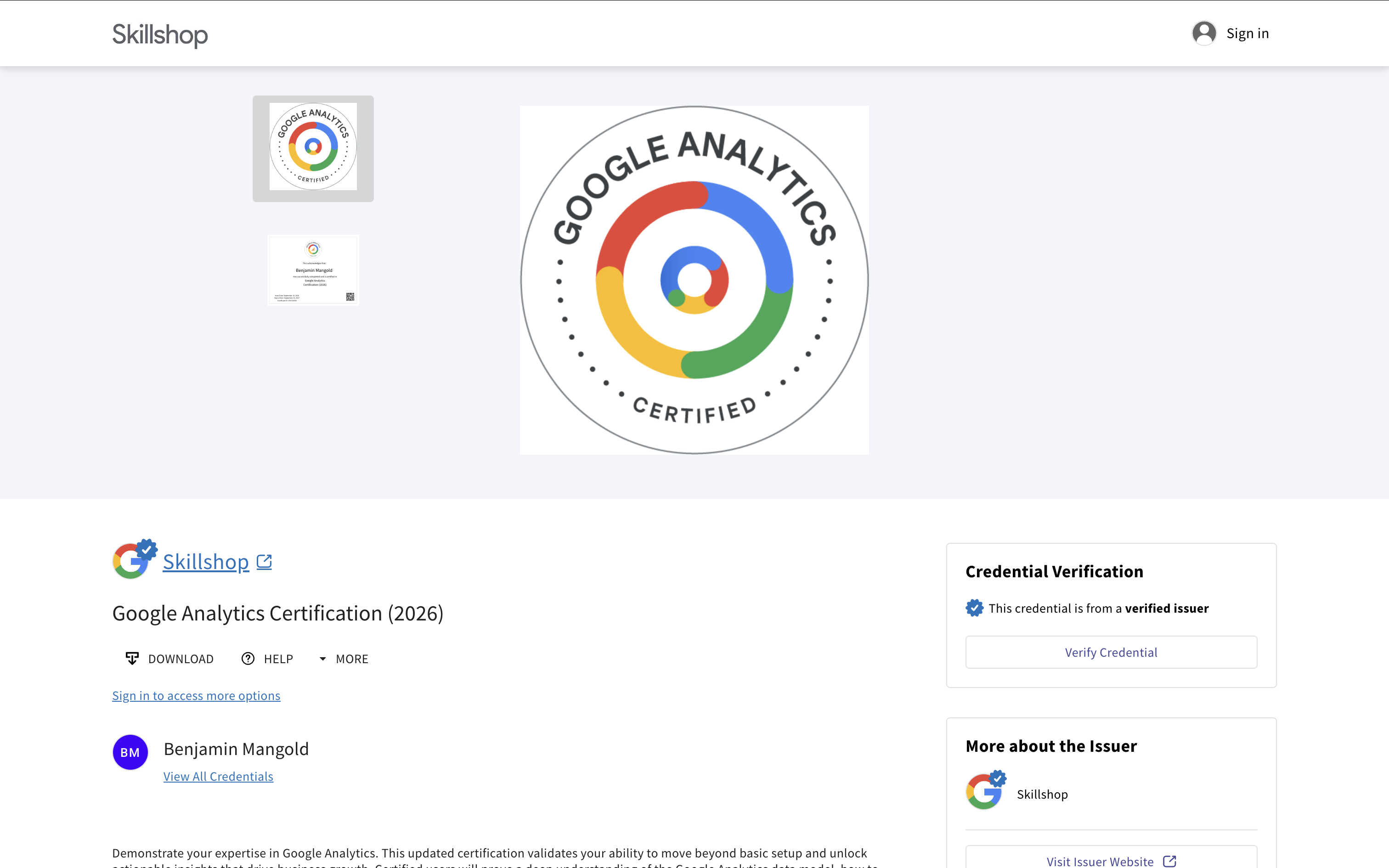
It can be particularly useful when you're starting a career in digital marketing or analytics, applying for a role, working at an agency, freelancing, or taking responsibility for reporting and measurement.
However, I wouldn't treat the certification as proof that somebody is an expert in Google Analytics. Passing an assessment and working with a real implementation are different things. In practice, you also need to know how to decide what should be measured, configure tracking correctly, diagnose missing or misleading data, interpret reports, and explain your findings.
What does the Google Analytics certificate look like?
Once you've passed the assessment, Google awards your Google Analytics Certification. The certificate shows the name associated with your Skillshop profile, the certification name, and its validity.
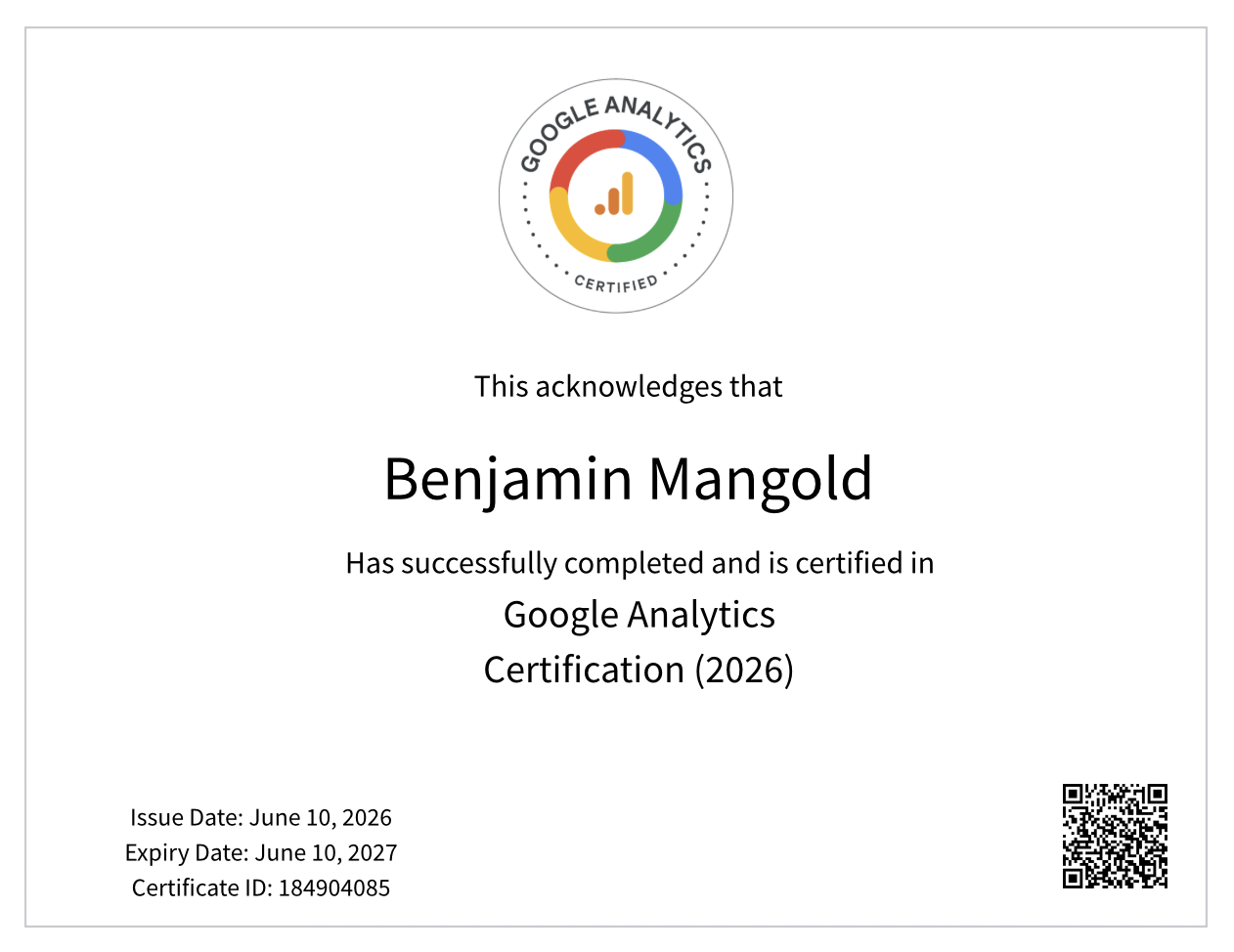
You can use the certification to demonstrate your GA4 knowledge to employers, clients, and colleagues. Remember that it expires after 12 months, so you'll need to pass the current assessment again to stay certified.
Apart from the certificate, which you can download and print, you can also use the certification badge to demonstrate your knowledge and skills.
How to find and share your Google Analytics Certification
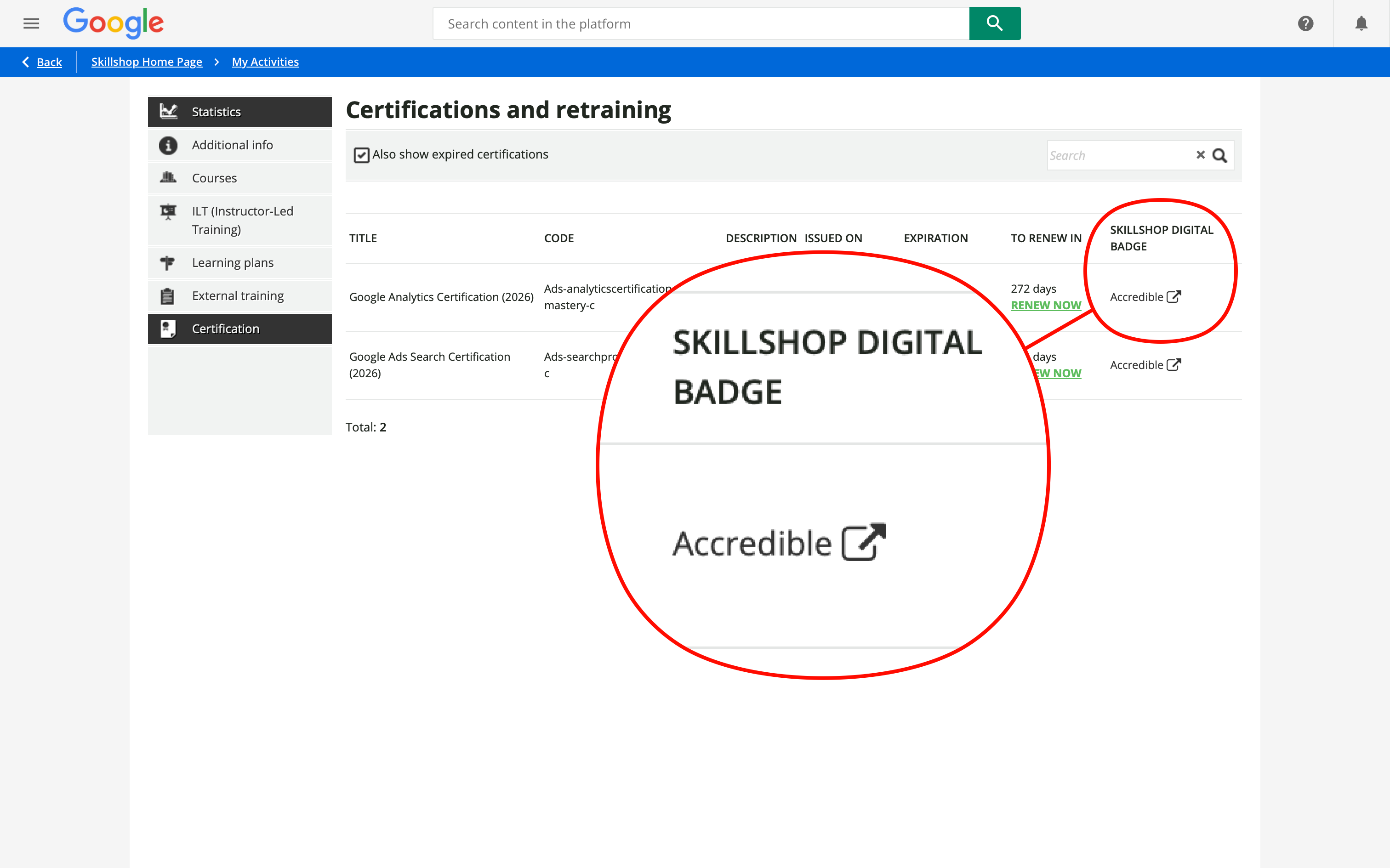
After you've passed, navigate to 'My Activities' in Skillshop and then select 'Certification'. From there, you can select the 'Accredible' link to view your certification and access your certificate and digital badge. It might appear immediately, or there can be a short delay after you finish the assessment. You should also receive an email from Accredible to access your certification.
How to add the Google Analytics Certification to LinkedIn
In LinkedIn, open your profile and add a new item under 'Licenses & Certifications'. Enter Google Analytics Certification as the name and Google as the issuing organization. Add your certification ID and expiration date, and include the credential link for your certification.
It's also worth adding the certification to your CV, especially if the role involves digital marketing, analytics, reporting, or campaign measurement.
Problems finding your certificate?
First, make sure you're signed into the same Google account you used to take the assessment. Then select 'My Activities' in Skillshop and choose 'Certifications'. If you've only just passed, wait a little and refresh the page because there can be a short delay.
If it still isn't there, confirm that your assessment shows a passing score and that you completed it inside the Google Analytics Certification learning path. You can also sign out of Skillshop, sign back in with the correct account, and check again.
Google Analytics Certification FAQs
Is Google Analytics certification free?
Yes. Google's learning material and the Google Analytics Certification assessment in Skillshop are free.
Is GA4 certification difficult?
The exam isn't too difficult if you understand the main GA4 reports, features, and settings. The questions are increasingly scenario-based, so practical familiarity with Google Analytics is more useful than memorizing definitions.
How many questions are on the Google Analytics certification exam?
The assessment has 50 multiple-choice questions.
What score do you need to pass?
You need a score of 80% or higher, which means answering at least 40 of the 50 questions correctly.
How long does the Google Analytics certification exam take?
You have 75 minutes to complete the assessment. The timer starts when you begin and can't be paused.
What happens if you fail the Google Analytics exam?
You can take the assessment again after waiting one day. Use the waiting period to review the topics or features that caused difficulty.
How long is the Google Analytics Certification valid?
The certification is valid for 12 months. You need to pass the current assessment again when it expires if you want to remain certified.
Can I add the Google Analytics Certification to LinkedIn?
Yes. Add it to the 'Licenses & Certifications' section of your LinkedIn profile, using Google as the issuing organization and the dates shown in Skillshop.
What happened to GAIQ?
The Google Analytics Individual Qualification, usually called GAIQ, was the earlier certification associated with Universal Analytics. Google's current credential is called the Google Analytics Certification and focuses on GA4.
Final thoughts
The best way to prepare for the Google Analytics Certification is to combine Google's learning material with time inside GA4. Make sure you understand the standard reports, key events, attribution, permissions, and integrations, and practice choosing the right feature for a real business question.
The certification is a useful way to demonstrate your foundational knowledge. Just remember that the real value comes from being able to apply that knowledge to an actual Google Analytics property.
To take a few more practice questions and prepare for the exam, you can download my Google Analytics Certification Resources PDF.
Get the free Google Analytics Certification PDF
And if you're taking the assessment soon, good luck. And once you've earned your certification, come back and let me know how you went.