
How to Report on AI Traffic in Google Analytics
 Benjamin Mangold
Google Analytics now includes an AI Assistant channel in the default channel group, making it easier to understand how much traffic your website receives from AI platforms like ChatGPT, Gemini, Claude, and others.
We're going to cover where to find the new AI Assistant channel in your reports, along with a few important limitations, and where you can customize channel groups if you need more control.
You can also watch the walk-through:
Where to find AI traffic in Google Analytics
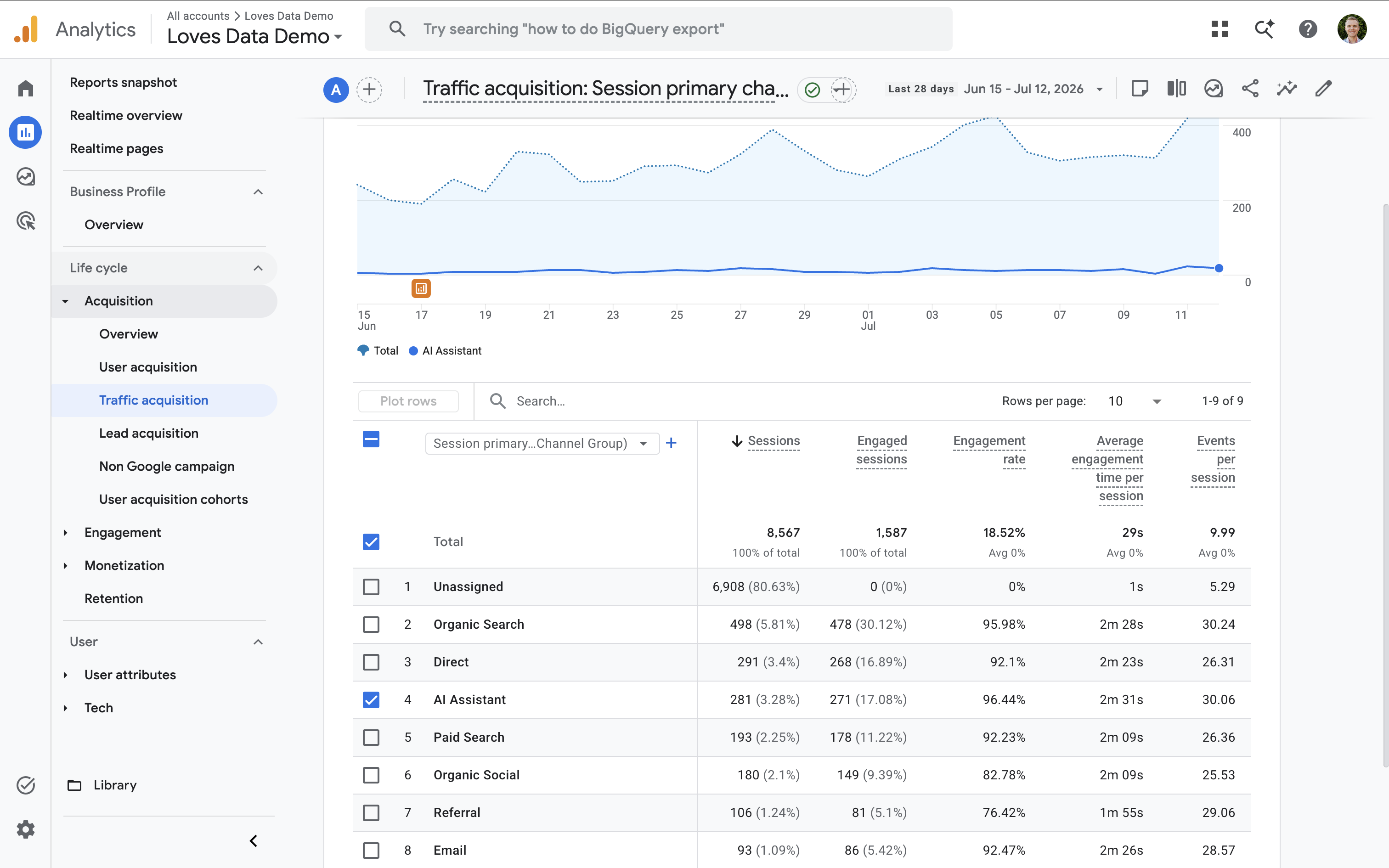
Navigate to 'Reports' and select 'Traffic Acquisition' under 'Acquisition'. You'll find 'AI Assistant' listed as one of the default channel groups, allowing you to report on visits from supported AI platforms.
You can also add 'Session Source / Medium' as a secondary dimension to see which AI platforms are sending traffic to your website.
Important limitations to understand
There are two key things to keep in mind when using the new channel. First, historical AI traffic isn't reclassified. Before Google introduced the AI Assistant channel, traffic from AI platforms was generally included in the 'Referral' channel group. This means older data won't automatically appear under AI Assistant.
Second, not every AI visit will necessarily be classified as AI Assistant. Google uses predefined source and medium rules, so some traffic may still appear in other channel groups.
It's also worth highlighting that Google Analytics only reports on visits to your website. If an AI platform mentions your business but someone doesn't click through, that interaction won't appear in your reports.
Customizing the AI Assistant channel
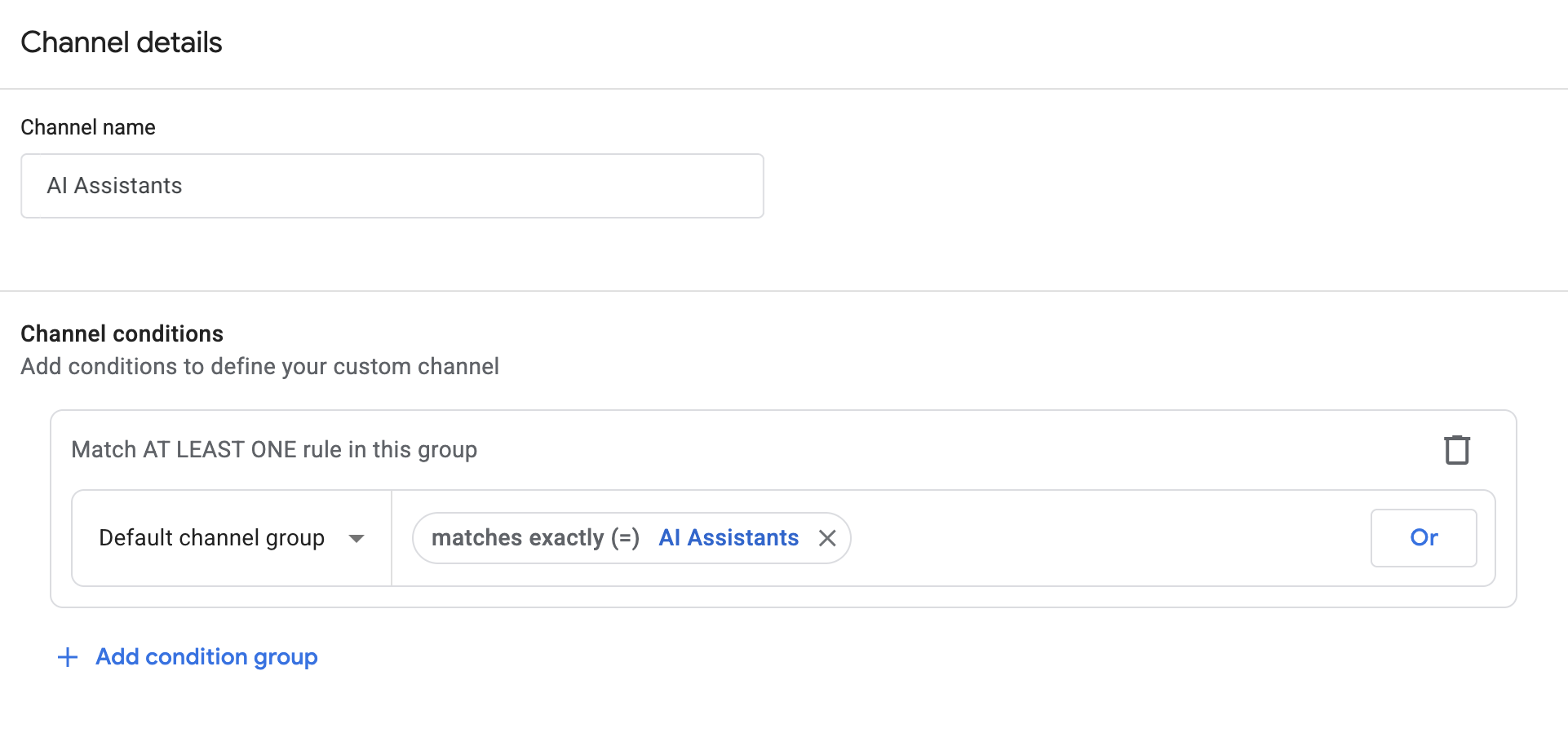
If you'd like more control over how AI traffic is classified, navigate to 'Admin' and select 'Data Display', then 'Channel Groups'. Here you can review Google's default rules or create your own custom channel group to better match your reporting requirements.
Conclusion
The new AI Assistant channel makes it much easier to measure traffic from AI platforms, but it's important to understand what is (and isn't) included. Knowing these limitations will help you interpret your reports more accurately and decide whether creating a custom channel group makes sense for your business.
Watch the complete Google Analytics AI Traffic walk-through covering where to find the reports and how to review the channel group settings.