
New Google Analytics Dashboards
 Benjamin Mangold
Google Analytics is rolling out a new Dashboards feature that lets you create custom dashboards directly inside Google Analytics.
You can bring together important metrics, dimensions, and visualizations on a single page, giving you a quick way to monitor the data that matters to you without jumping between different reports.
The new Google Analytics Dashboards feature is currently rolling out, so you might not see it in your property just yet. In the video below, I take a quick look at the new feature, where to find it, and how it works.
How to find Dashboards in Google Analytics
To check if you have access to the new feature, navigate to 'Reports' in Google Analytics and look for the 'Create' button at the top of the reporting navigation.
When you select 'Create', you can create a dashboard, detailed report, or overview report. Detailed and overview reports are the same types of reports you can create from the 'Library', while Dashboard is the new option.
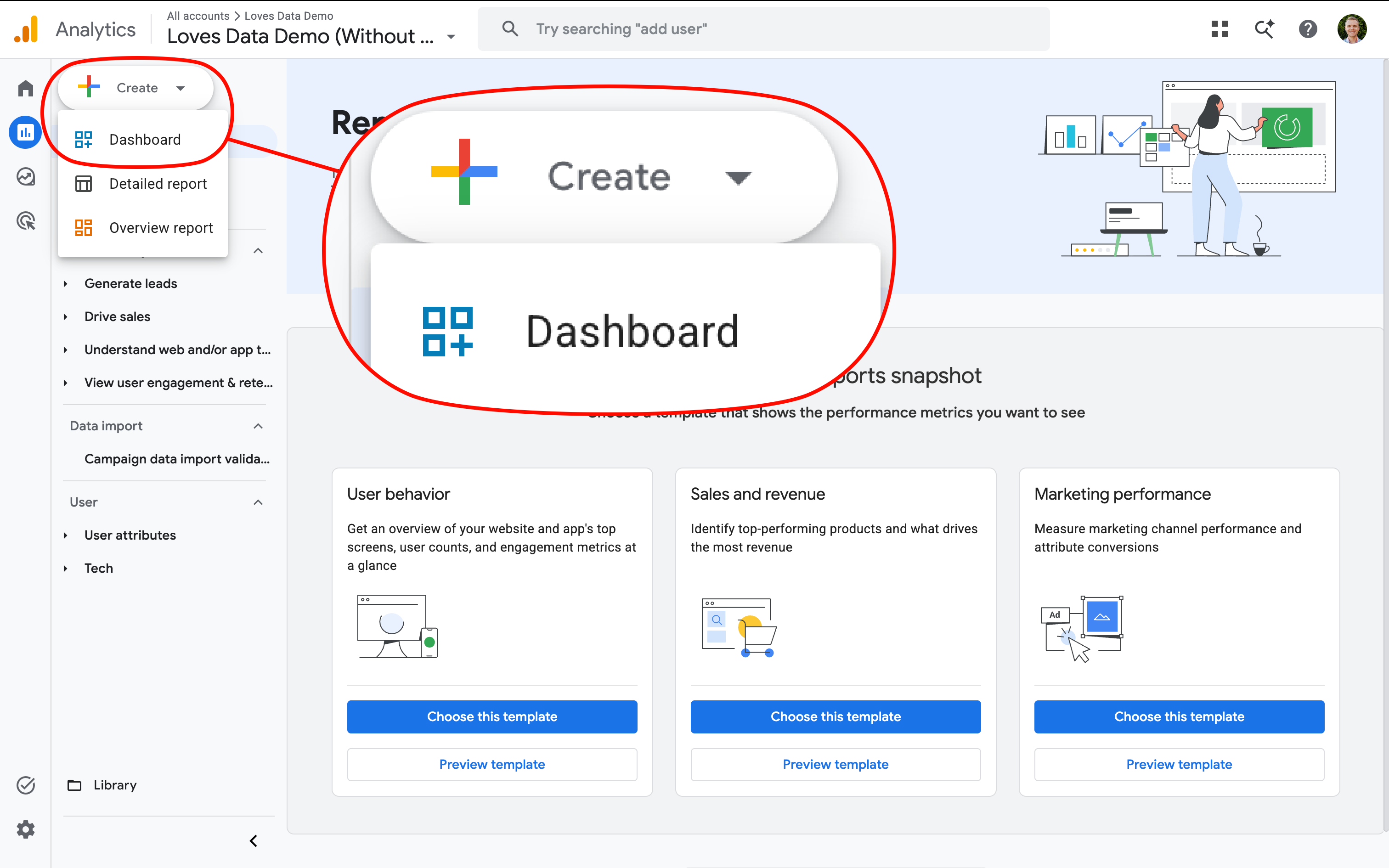
If you don't see the new Dashboard option yet, don't worry. Google is still rolling out the feature, so it might not be available in your property yet.
What can you add to a Google Analytics dashboard?
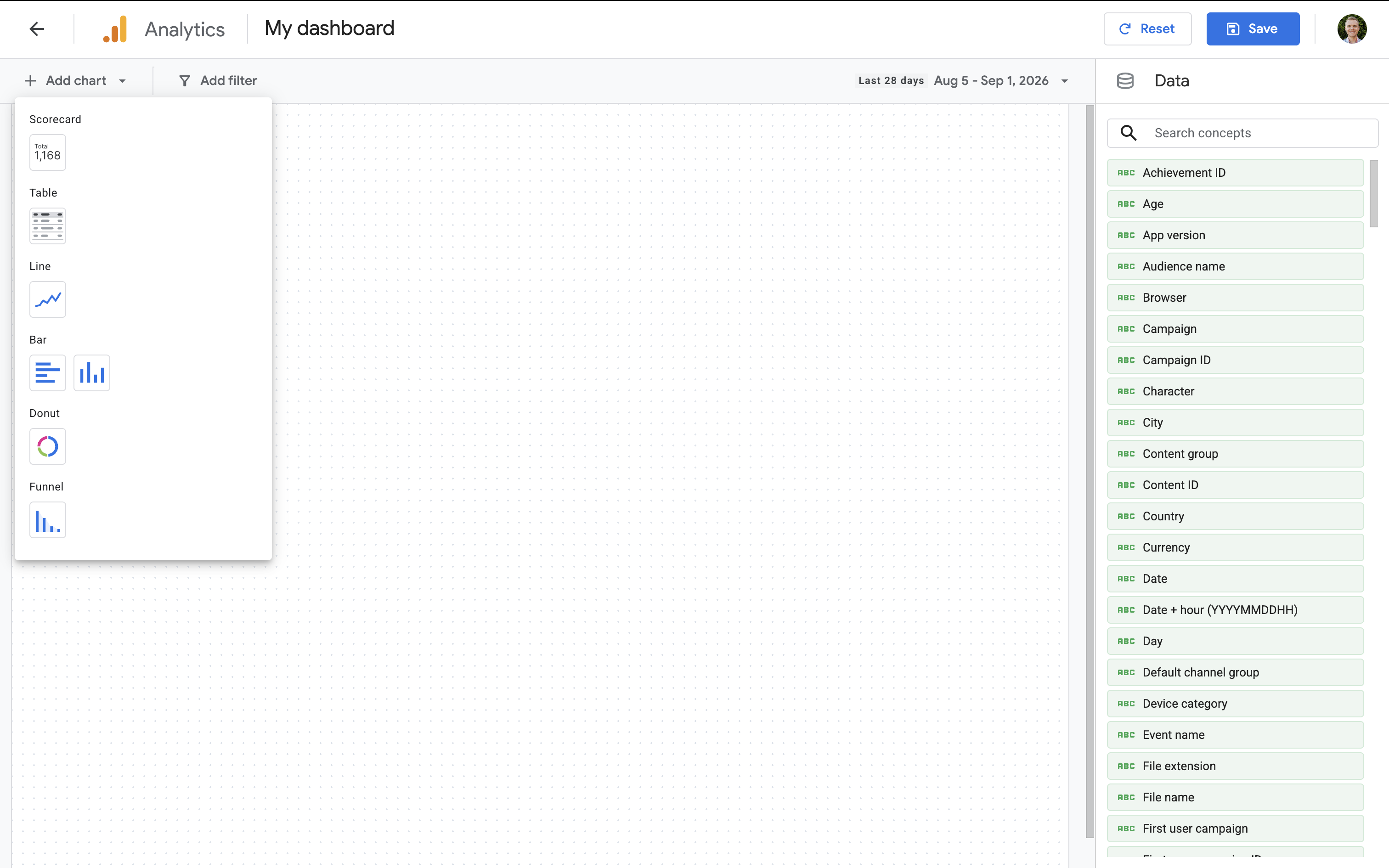
When you create a dashboard, you'll see a grid-based canvas where you can add, move, and resize visualizations.
You can add metrics like Active Users, Sessions, Key Events, and Total revenue. You can also use dimensions like Page Path, Session Campaign, and Country to break down your data.
Dashboards support different visualization types, including scorecards, tables, line charts, bar charts, donut charts, and funnels. This means you could create a dashboard that combines your most important KPIs with trends and breakdowns on a single page.
Can you share Google Analytics dashboards?
You can publish a dashboard to the reporting navigation, making it available to other people who have access to the Google Analytics property.
You'll need Editor or Administrator permission to create and publish dashboards.
Are Google Analytics Dashboards available yet?
The new Dashboards feature is currently rolling out. This means you might have access in one Google Analytics property but not another.
If you don't see the option yet, navigate to 'Reports' and check for the new 'Create' button periodically as the feature becomes more widely available.
What's next?
I think Dashboards are a useful addition to Google Analytics. We've been able to customize overview reports and create custom reports for some time, but Dashboards give you more flexibility in how you can bring together and present your data directly inside Google Analytics.
Once the feature is available more widely, I'll also publish a complete step-by-step tutorial showing you how to create a useful Google Analytics dashboard from scratch.